Preview of the break reminding program Workrave which help reducing the eye strain.
Here we go now. I'll make a comparison of break reminding software like Workrave, eye defender and so on.
The first one is Workrave. This program is good because of the different exercises it offers. But let go step by step.
The micro-breaks are small pop-up windows that shows every few minutes for a short time. If you have heard about the 20-20-20 rule this is something similar. If your eyes focus at the same distance for a long time i.e. the monitor, your eyes get tired and this lead to eye strain. So looking away from the monitor or just stopping your work to get a little rest is good and healthy for you and your eyes.
Go to the preferences menu and there on the Micro-break tab
you can adjust the time of your micro-breaks.
The time between breaks by default is 3 mins. If this is too often for you set it to higher
Break duration is the time that the break lasts. I think that the default time of 30 seconds is good. There is no need to be bigger and even if you set it to 20s it still do the job.
The postpone time is a option to postpone the break for later if you have something important to do. The default time is 2:30 min but i think that 1 min is good
You can un-check the show postpone button and Skip button options if the computer is used by children and you want to be sure that they will follow the breaks and not damage their eyes from staring at the monitor.
And un-check Prompt before breaking or otherwise a annoying small window shows up before the break reminders...(personal opinion).
On the Rest break tab you can adjust the time of the big breaks
with exercises against eye strain and repetitive strain injury.
The settings are similar to those of the micro breaks. Again un-check the Prompt before breaking.
Change the number of exercises to such that fits your needs. Try few times and you will figure it out.
And last click the user interface icon (the monitor under the clock in the top left corner)
and choose to block or not the mouse input.
Choose Block input or No blocking to allow normal work even if the micro or rest break has pop up.
Or even Block input and screen if you kids are using it.
The second from the eye exercises is the "Look in to the darkness" exercise. It gives better relief to your eyes that just closing them, since still there is no object to focus on. And there is no light to your retina.
The third eye exercise is looking at different directions. You have to look at monitor corners and follow the monitor edge to the next corner. This is to make your eye balls move and not just stare in front of you.
The other exercises are against RSI or repetitive strain injury. Or in other words to "stretch your bones". Sitting at one place and doing the same things and moving its not very healthy so these simple and well known exercises are good to follow. And after long time spent in the same position some people complain about pain in the neck, headaches and so on. This is the list of the exercises.
I have put all the pictures of the exercises and the micro-breaks and settings to give everyone idea what to do and how to prevent eye strain and RSI. Even if you are not using such program try to remember to make breaks often even short ones. Try to get bigger breaks once in a while and also make some simple exercises even if they are different from the shown above.
The first one is Workrave. This program is good because of the different exercises it offers. But let go step by step.
The first thing it offer is the micro-breaks.
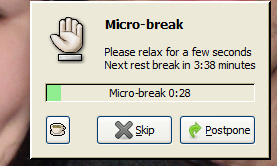 |
| Micro-break |
Go to the preferences menu and there on the Micro-break tab
you can adjust the time of your micro-breaks.
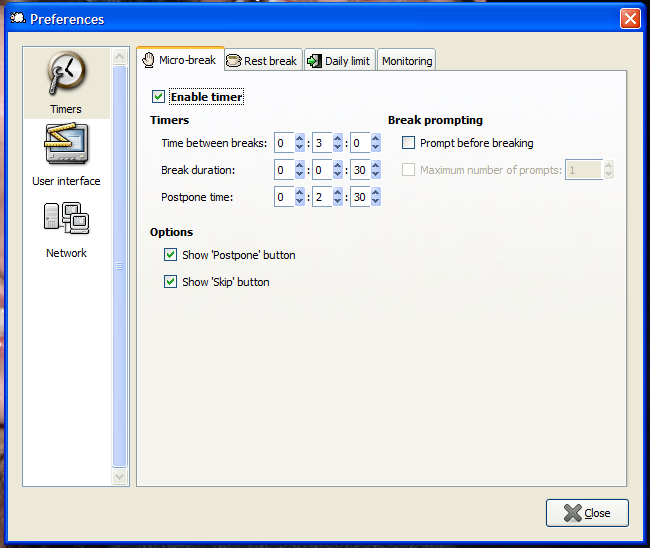 |
| Micro-break settings |
Break duration is the time that the break lasts. I think that the default time of 30 seconds is good. There is no need to be bigger and even if you set it to 20s it still do the job.
The postpone time is a option to postpone the break for later if you have something important to do. The default time is 2:30 min but i think that 1 min is good
You can un-check the show postpone button and Skip button options if the computer is used by children and you want to be sure that they will follow the breaks and not damage their eyes from staring at the monitor.
And un-check Prompt before breaking or otherwise a annoying small window shows up before the break reminders...(personal opinion).
On the Rest break tab you can adjust the time of the big breaks
with exercises against eye strain and repetitive strain injury.
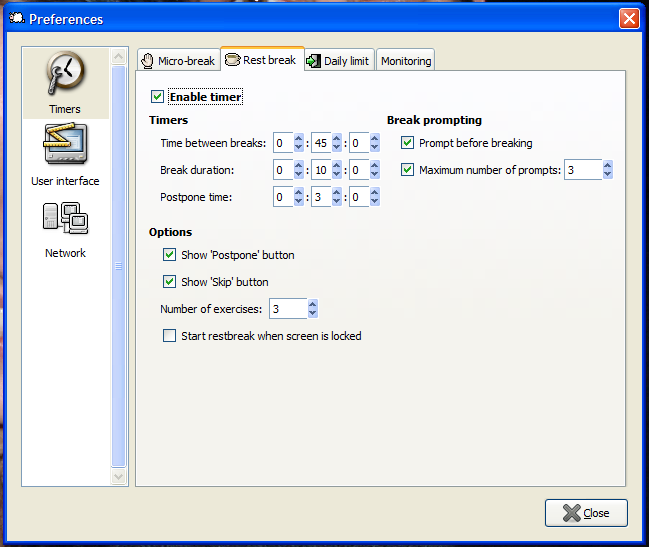 |
| Rest break settings |
Change the number of exercises to such that fits your needs. Try few times and you will figure it out.
And last click the user interface icon (the monitor under the clock in the top left corner)
and choose to block or not the mouse input.
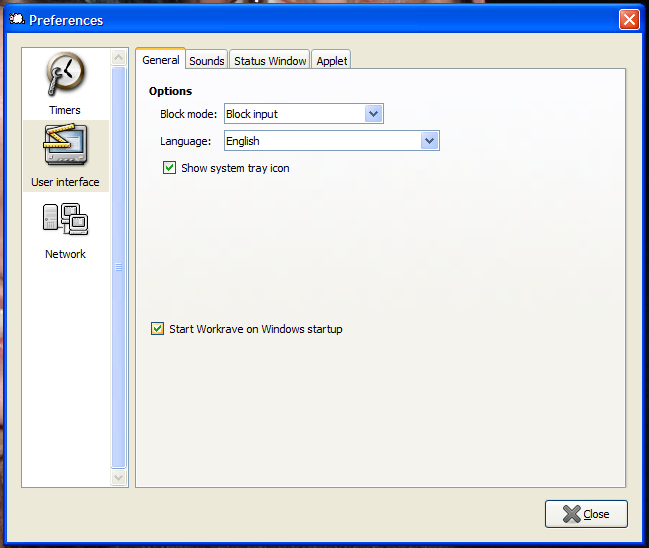 |
| Block input settings |
Or even Block input and screen if you kids are using it.
The second thing are the Exercises.
First of the exercises against eye strain. You have to focus at objects at different distances in order to remove the strain from your eyes and the muscles responsible for the eye focus.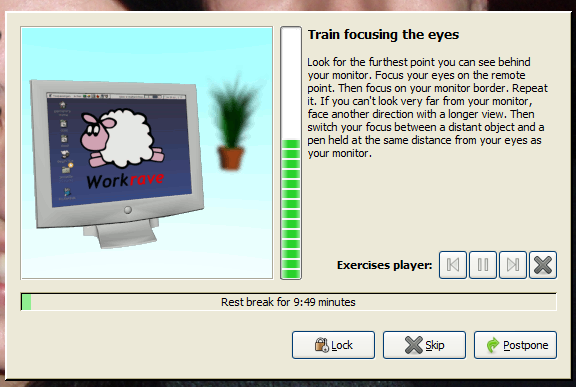 |
| Focus at objects at different distance. |
The second from the eye exercises is the "Look in to the darkness" exercise. It gives better relief to your eyes that just closing them, since still there is no object to focus on. And there is no light to your retina.
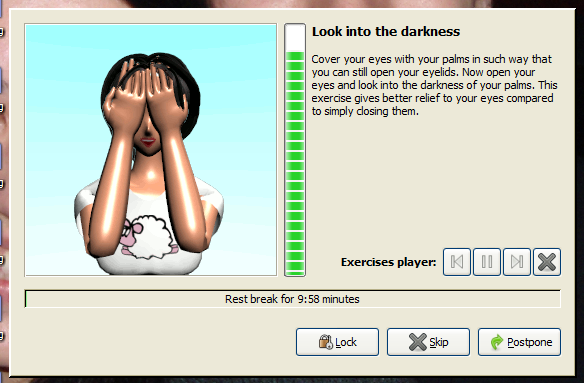 |
| Cover your eyes |
The third eye exercise is looking at different directions. You have to look at monitor corners and follow the monitor edge to the next corner. This is to make your eye balls move and not just stare in front of you.
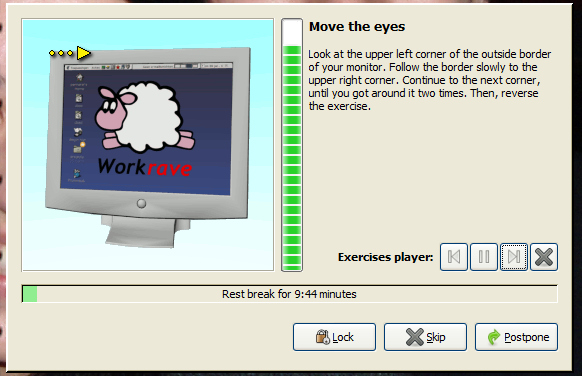 |
| Look at monitor edges. |
The other exercises are against RSI or repetitive strain injury. Or in other words to "stretch your bones". Sitting at one place and doing the same things and moving its not very healthy so these simple and well known exercises are good to follow. And after long time spent in the same position some people complain about pain in the neck, headaches and so on. This is the list of the exercises.
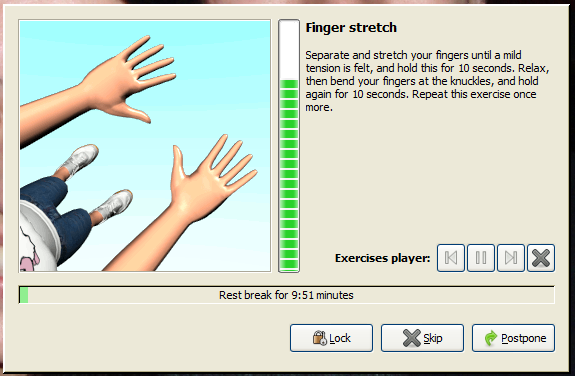 |
| Finger stretch |
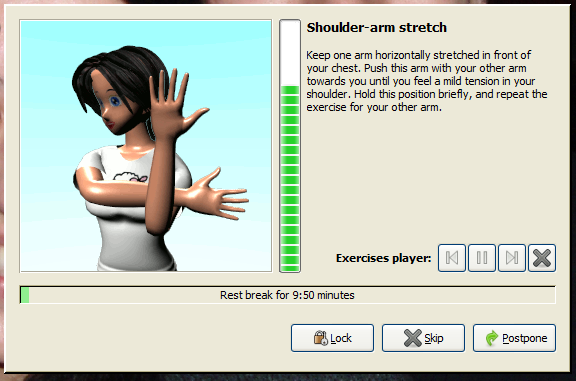 |
| Shoulder stretch |
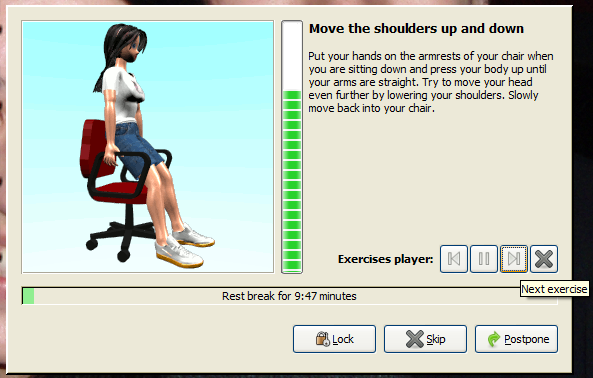 |
| Move shoulders |
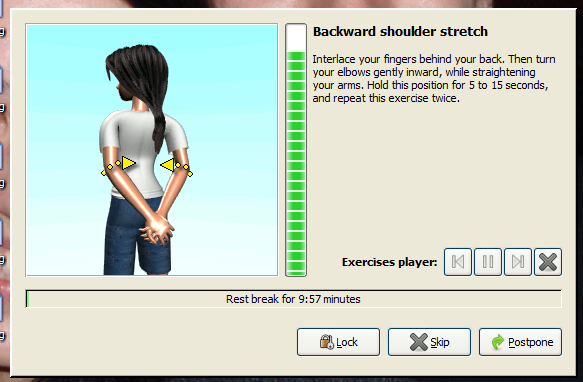 |
| Backward shoulder stretch |
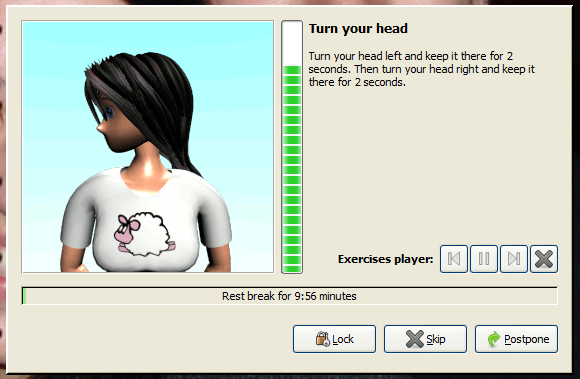 |
| Turn head |
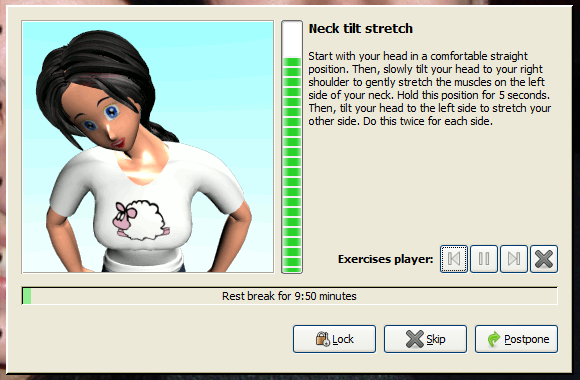 |
| Neck stretch |
I have put all the pictures of the exercises and the micro-breaks and settings to give everyone idea what to do and how to prevent eye strain and RSI. Even if you are not using such program try to remember to make breaks often even short ones. Try to get bigger breaks once in a while and also make some simple exercises even if they are different from the shown above.


